From cartoons to video games to live screens, animation has slowly crept into our lives as one of the main staples of either entertainment or education. However, few people realize the level of work that goes into creating such pieces of work, both then and now. As technology changes, the quality and viewership change with it. Whether you are a producer, animator, writer, employer, business owner, or casual fan, it is important to know what kind of animation you are looking to produce, and the surprise is that the technology has been available all along.
Understanding Vectors vs Pixels
Few have heard of these terms, but it is important to start with this as a staple of understanding, for it will further impact the look and feel of your project. A pixel is a square containing specific color data. In other words, one square constitutes one part of the overall image. If an image has a resolution of 10 squares (pixels) per inch, then the image will be made of 10 squares for every inch on the canvas. The same with 360 squares, 720 squares, 1,080 squares, and 4,000 squares, which goes for every inch the image is to exist in the framework. This is measured by pixels per inch (PPI).
Vectors are a lot simpler, for they are represented by dots, not squares. In simplistic terms, you can say that they are circles in a series that form an image, and they are usually a lot crisper and smoother, which is why they are commonly used in forming branding logos for companies. Because of this, resolution is not a problem, for regardless of the size of the canvas, it conforms with every increase or decrease of the imagery in question, infinitely in all directions. A vector graphic can become a pixelated image in a process known as rasterization. Dots per inch (DPI) is used for measuring the printing quality of images that are made of pixels, not vectors.
History of Animation
The first vector animation was in 1960, which showed a car driving down a highway by the Swedish Royal Institute of Technology in Stockholm, on the BESK computer. BESK was Sweden’s first electronic computer. However, the first hand-drawn animation was called “Fantasmagorie” in 1908, which was created by French artist Émile Cohl, who has been called “The Father of the Animated Cartoon.” Cohl mostly did caricatures and was part of a short movement in France called the Incoherent Movement, which was an anti-art movement that took away from traditional art forms for a more loose and whimsical form that was often used for protesting.
So, whether you use software that utilizes pixels or vectors, or use a hand-drawn method, it will have a specific impact on the quality of your project. However, what happens if you decide to use them together? First, we will discuss the different kinds of animations that exist.
The Different Types of Animation
2D Animation Style
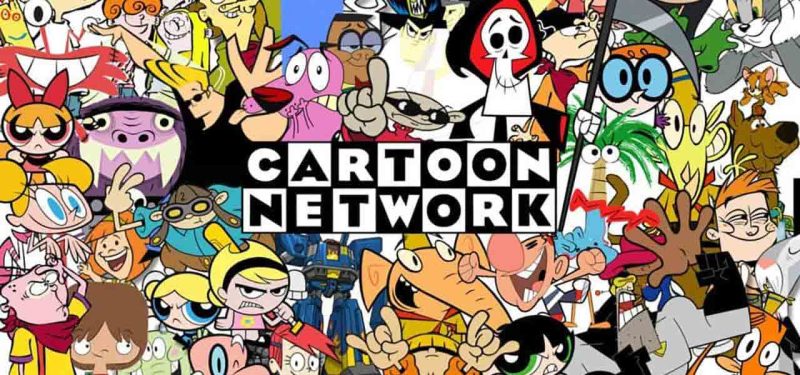
2D Animation has been the cornerstone of the entertainment industry for decades, but mostly aimed towards children, due to its simplicity and design. However, not everything that is 2D is truly 2D behind the scenes. You will find that all animation techniques have certain markers and qualities.
True 2D animation is known by its movement from side to side, only seeing one perspective of the subject matter at any given time within a set number of frames. Frames are the number of still pictures a person sees within a given second. As a result, you can specify a video to have 30 frames per second (30 fps) or 60 frames per second for much smoother transitions. This is because there is more information via pictures (frames) within a second that the system is picking up on in the recording process. This is no different than increasing the shutter speed on a camera.
2D animation is also known as having the following parameters:
- One Directional, moving either sideways, forward, or backwards
- Front Facing
- No Depth via flat in appearance
You will not see the entirety of the subject, and there are no rotations in the animation process. Aside from children’s cartoons, explainer videos are widely used in this medium.
Programs normally used for 2D consist of Adobe Photoshop, Adobe Illustrator, After Effects, Animate, and Premiere Pro. Affinity’s programs may substitute for Photoshop and Illustrator.
CEL Animation aka Traditional Animation
CEL animations are very unique and have been around for a long time. The acronym “CEL” stands for celluloid, which is the name for the sheet used for animators to draw on. Animators draw on sheets of celluloid to act as frames to create a finished project. When celluloid was widely used, because the celluloid of an animation tends to be older, they tend to be worth a lot of money for their rarity in the art world. Today, the same process of CEL animation can be done digitally using programs such as Adobe Illustrator or Adobe Photoshop, depending on the project type.
CEL Animation Today
Due to the physical labor involved, CEL animation is more of a method than an actual animation type. It is known for not being very fluid in movement, resulting in a very jerky style of animation. To fix this issue for a smoother appearance, frames are placed between two frames of movement from beginning to end, in order to create more imagery for a smoother animation process. This process can be referred to as in-betweening or tweening.
An example of CEL animation is the older episodes of the Japanese anime called “Naruto”. In the first few seasons of the series, it focused on a more traditional CEL animation process. The backgrounds were hand-painted and then digitized into software. With the help of its manga to act as a guide and storyboard, a lot of the imagery was imported and worked on as CELs using digital software. It is only later in the series that they begin to migrate from CEL to a more Advanced 2D style.
CEL animation is a different style because it’s the next level after basic 2D. Movement is not smooth, and has a jerky feel to it, where in order to create smoother transitions, the movement would need to be adjusted frame by frame.
Programs normally used for CEL consist of Adobe Photoshop, Adobe Illustrator, After Effects, Animate, Premiere Pro, Toon Boom, and Moho. Affinity’s programs may act as a substitute for Photoshop and Illustrator.
3D Animation Style
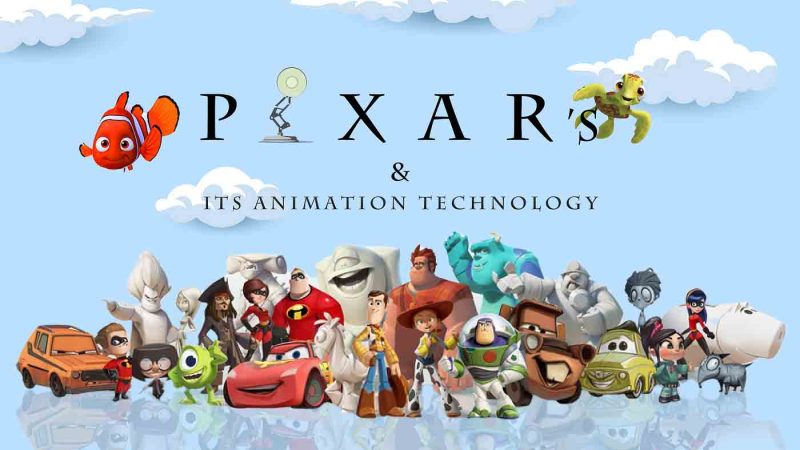
3D animation has its markers, but it carries its stigma, which I will explain. In this type of animation, there is depth, and you can see subject matter in the round, moving in all types of directions, with smooth movement patterns. When you think of 3D, you instantly think of 3D models in a more polygonal fashion, because polygons are used to form both the environment and characters as a whole.
Depending on the style of the 3D animation, you may play with bitmapping, where an image is wrapped over a polygon to illustrate textures, form, and space, or you may utilize plug-in textures for more realistic qualities.
Programs normally used for 3D consist of Adobe After Effects, Premiere Pro, Maya, Blender, and Lightwave.
Advanced 3D Animation Style
Advanced 3D animation is 3D taken to a whole other level. This is marked by having the qualities and visuals of appearing to be more life-like in visuals. This is also determined by the fluidity of movement of the subject and the environment. As seen through gaming, the Unreal Engine is a perfect example of making movements look and feel as real as possible.
This is also where you will start to see a lot of Motion Capture performed by real actors. When looking at the process of modeling, rigging, and animation, Motion Capture cuts the time down it takes to complete such a project, and the results are more realistic and life-like movements of living beings.
An example of Advanced 3D would be the video game “Grand Theft Auto IV,” up to the present “Grand Theft Auto” in the series, which has been using the Unreal Engine to achieve more realistic visuals. Video games are a perfect example of viewing how 3D changes over time. The older “Tomb Raider” video games from the first PlayStation, compared to now, show the advancement of 3D software. The first “Tomb Raider” game in 1996 used the 3D style of animation mentioned above, while the 2018 game “Shadow of the Tomb Raider” uses Advanced 3D as mentioned here, although the Unreal Engine was not used in its production.
Similar realistic software engines exist to create more life-like visuals, some of which are custom-made for in-house animation production studios. Programs normally used for Advanced 3D include Maya, Blender, Lightwave, and the Unreal Engine.
Hybrid Model aka Advanced 2D Animation Style
Advanced 2D animation is a hybrid between 2D and 3D. Here, you will start to see slight movements similar to 3D. CEL animation as a method can be used as part of Advanced 2D, if certain movements need to flow a certain way. 3D animation is actually a very high-end form of animation, which serves different usages, depending on the client and medium.
In terms of character animation, a lot of what you would perceive to be 2D animation is 3D animation that has been designed to look and feel 2D. This is because movement is key. In the early 1990s, older versions of 3D animation software were used, utilizing older graphics programs to create 2D shows. This is because it is about the movement of the subject, and not the visuals. If you are watching a program, anything that rotates and moves at 360 degrees is 3D. The key identifier of this is if you have the movements of 3D, but visuals of 2D.
Hybrid Animations – Then and Now
Examples of Hybrids, aka Advanced 2D animations, can be found in projects such as the film “Snow White and the Seven Dwarfs” from 1937. The graphics are 2D, but the movements are 3D, so it’s a Hybrid of the 1930s, which would have incorporated some use of CEL and matte panels to illustrate depth done through a 3D engine of its time. Snow White was that era’s version of Advanced 2D.
In more modern terms, “Dragon Ball Z,” which aired in Japan from 1989 to 1996, is a great example of Advanced 2D, where the graphics are seen as 2D, but the movements are all 3D, with some in-betweening done on CEL. It is that era’s version of Advanced 2D, being 3D designed to look 2D.
Programs normally used for Advanced 2D consist of Adobe Photoshop, Adobe Illustrator, After Effects, Animate, and Premiere Pro. Affinity’s programs may substitute for Photoshop and Illustrator. Also, note that some 3D software, such as Maya and Lightwave, can be introduced, and CEL programs like Toon Boom and Moho can also be incorporated since this medium is a hybrid of 2D and 3D animation.
Choosing an Animation Style
Picking your animation is about determining how you want it to move first and then look. There are two main questions you must ask yourself before beginning a project:
- What do the characters look like?
- What are the movements like, and how fluid is it?
These two questions will determine the style by which your animation should be done for the desired result. Graphics are your visuals, Movement will determine if it should be done as 2D, 3D, a Hybrid, or if it should incorporate a little of each with a mix of CEL animation techniques.
Weighing The Cost
Costs vary depending on the type of animation you choose, but it will all come at a price:
- 2D will always be cheapest and takes the shortest amount of time to complete.
- Advanced 2D/Hybrids cost a little more and take longer to complete.
- A strictly CEL animation costs more than Advanced 2D, even with today’s software, but takes the longest to complete because every frame is being crafted virtually from scratch, so there will be a lot of in-betweening.
- 3D animation, although more costly than CEL animation, can be completed fundamentally at half the amount of time than that of a strictly CEL animation project.
- Advanced 3D, which costs the most due to the realistic features it provides, can be completed around the same time as its basic 3D counterpart.
If CEL animation is your focus strictly, to compensate for time, the more people involved in in-betweening, the quicker the project can be completed. A small team can be used for everything else, but to get the output of the other counterparts, you may need at minimum 10 to 20 (or more) in-betweeners to compete on a time basis.
Although their are different types of animation, let alone the different techniques, the process of animation does not change. Depending on your requirements, any animation could work, depending on cost and time, where CEL animation is best used for shorter forms of content.